Password Protecting Directories
The easiest way to password protect directories is to use our Web Shell program. When selected through the main menu WEB SHELL, one of the features of the system is password protection. When you first launch the Web Shell program, select the "PROTECT" button at the top of the page.
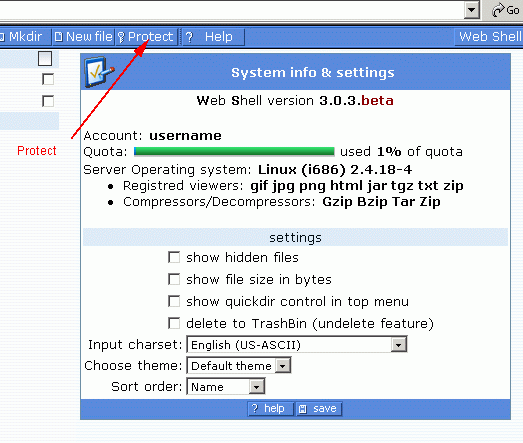
This is what you will see after you select the "PROTECT" button at the top of the page. This opens the "Protect Wizard" that runs through things step by step.
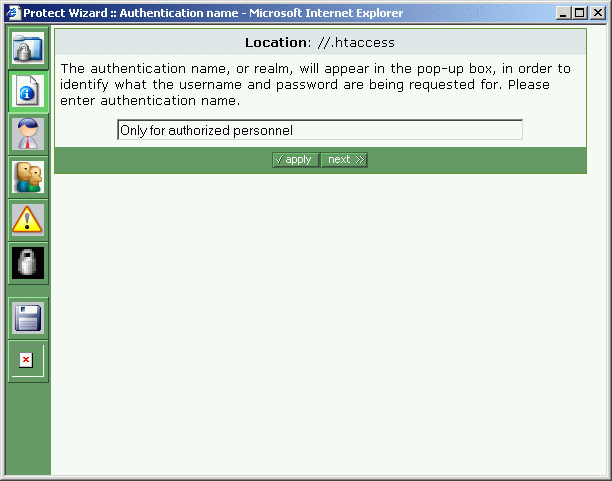
The .htaccess file spoken of is a general tool used by Unix systems.
It is a
control file for password protecting directories. The
web Shell system automatically creates and helps you manage the .htaccess
files.
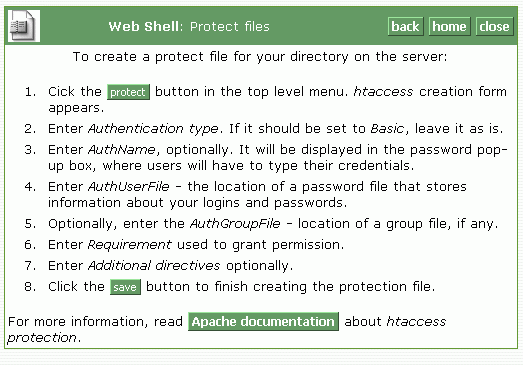
The HELP files are quite useful within the Web Shell program and provide
valuable information for password protecting directories. You
can open the help files in a separate window, should you wish to keep
it open as you work through the system.
Simply select the apply and next buttons to go through the process as
prompted.
Please make sure you go to your web site and test your settings prior to
providing access or passwords to anyone.